Minimal Linux distribution - Part 4: Kernel (tinyconfig)
Up to now, we’ve built a minimal Linux distribution using a standard kernel configuration. However, we can make it even more minimal by using a tiny kernel configuration.
The Plan
Here’s what we’ll do:
- Compile the Linux Kernel using the tinyconfig configuration.
- Use BusyBox for the userspace, as in Part 2.
- Package everything into a bootable image using Syslinux.
- Test the image in QEMU.
Building the Tiny Kernel
- Start in your project root directory where you have the Linux kernel source.
- Navigate to the Linux kernel source directory:
1
$ cd linux-<some_version>
- Clean any previous builds to avoid conflicts:
1
$ make mrproper - Load the tinyconfig configuration:
1
$ make ARCH=x86_64  tinyconfig
- Compile the kernel:
1
$ make -j$(nproc)  # Use all available processor cores
- After compilation, the kernel image will be located at
arch/x86/boot/bzImage.
Easy? Easy. Will it work? Let’s find out.
Packaging and Testing
Now, we need to package the kernel with the BusyBox userspace and Syslinux configuration, similar to what we did in Part 2. – Follow the same steps from Part 2.
Once everything is set up, you should have a bootable image ready to test. When you run the image in QEMU, you should see something like this: 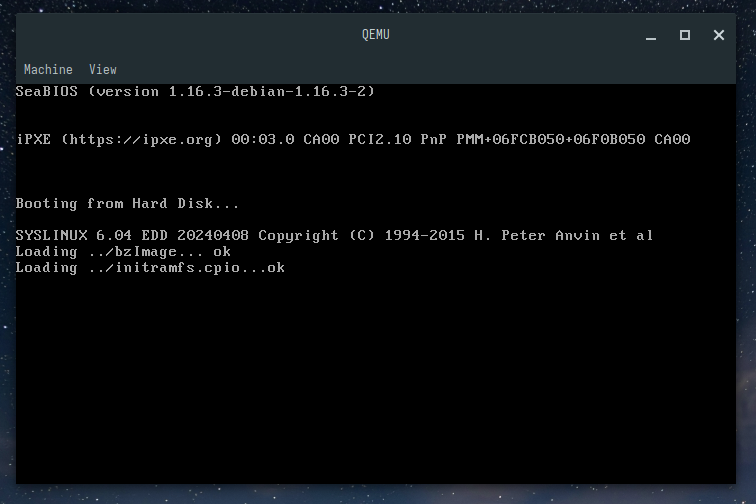 Oh no is this a non runner?
As you can or can not see, the tinyconfig kernel boots up, but it doesn’t provide a functional shell or utilities. This is because the tinyconfig is extremely minimal and lacks many essential features.
Changes Needed
To make the tinyconfig kernel functional, we need to enable a few additional options. First let’s add a possibility to print something by kernel itself.
- Reopen the kernel configuration menu:
1
$ make menuconfig - Navigate to:
- General Setup
- Configure standard kernel features (expert users)
- Enable support for printk - Device Drivers
- Character devices
- Enable TTY
- General Setup
- Save and exit the configuration menu.
- Recompile the kernel:
1
$ make -j$(nproc)
This will let kernel to print messages during boot, so that we will be able to see what is happening.
After packaging and testing again, you should see kernel messages during boot: 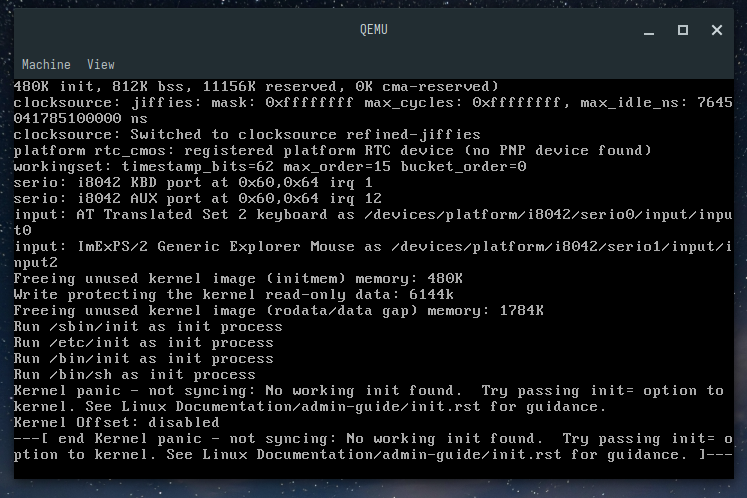 Look at that beast, kernel is printing messages!
Ok we have a running kernel, but it is not able to find init process, because we need to enable some more options. We need to enable initramfs suppoer, elf binaries and some filesystem support yo get this running. Whole list of options needed to boot somehow is here:
1
2
3
4
5
6
7
8
9
10
11
12
13
14
15
16
17
18
19
20
21
22
23
24
25
26
27
28
29
- General Setup
  - Configure standard kernel features (expert users)
    - Enable support for printk
  - Initial RAM filesystem and RAM disk (initramfs/initrd)
    - Support initial ramdisk/ramfs compressed using XZ and **uncheck everything else**
- Processor type and features
  - Processor family
    - Generic-x86-64
- Enable the block layer
- Executable file formats
  - Kernel support for ELF binaries
  - Kernel support for scripts starting with #!
- Device Drivers
  - Block devices
    - Normal floppydisk support
    - RAM block device support
      - Default number of RAM disk: 1
  - Character devices
    - Enable TTY
- File systems
  - DOS/FAT/EXFAT/NT Filesystems
    - MSDOS fs su486DXpport
  - Pseudo filesystems
    - /proc file system support
    - sysfs file system support
  - Native language support
    - Codepage 437
- Library routines
  - XZ decompression and **uncheck everything under it**
After enabling these in menuconfig and recompiling the kernel, you should have a functional minimal Linux distribution using the tinyconfig kernel.
So let’s test it again in QEMU: 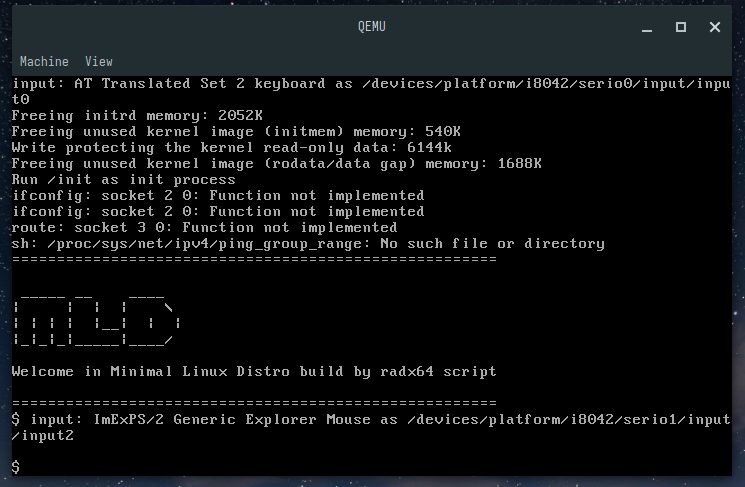 And there we go, a functional minimal Linux distro with tinyconfig kernel!
Ok, there are some “Function not implemented” errors, as for example we stripped whole network support, but we have a shell and can run basic commands like ls, echo, etc.
With these changes, the tinyconfig kernel can now boot into a minimal BusyBox userspace, providing a functional shell and basic utilities. This demonstrates how to create an even more minimal Linux distribution by tailoring the kernel configuration to your specific needs.
Oh you’ve maybe noticed that on last screenshot there is some welcome message. Yes, I added that as well by modifying the init script in BusyBox. I’ve also made a bash script to automate the whole process of building this minimal Linux distro with tinyconfig kernel. You can find it on my GitHub
Summary
In this part of the series, we explored how to build a minimal Linux distribution using the tinyconfig kernel configuration. While the tinyconfig kernel is extremely minimal, with a few additional options enabled, we were able to create a functional minimal Linux distro with BusyBox userspace. This showcases the flexibility of Linux and how it can be tailored to meet specific requirements, even in the most constrained environments.
Some size summaries for the series until now:
| Component | Size | Comment |
|---|---|---|
| Linux from scratch | ~1-2 GB | Rich in packages, gcc, binutils, bash |
| Minimal distro pt2 | ~18.1 MB | BusyBox userspace (cpio packaged), standard kernel |
| Minimal distro pt3 | ~15.6 MB | Toybox userspace (cpio packaged), standard kernel |
| Minimal distro BusyBox pt4 | ~5.6 MB | BusyBox userspace (cpio packaged), tinyconfig kernel |
| Minimal distro ToyBox pt4 | ~3.1 MB | ToyBox userspace (cpio packaged), tinyconfig kernel |
There can be few more steps to trim down the size, like removing some functions from BusyBox or ToyBox.
There is a nice floppinux project that fits quite recent kernel and trimmed busybox into 1.44MB floppy image, to boot it on old x86 hardware.Link here: floppinux
TIP:
Below text is a side quest about automating kernel config changes, you can skip it if you are not interested in such details.
Side quest about automating kernel config changes
While preparing this post, i was working on a script to automate the whole process of building this minimal Linux distro with tinyconfig kernel. Menuconfig is doing many things under the hood, there are many dependencies between options, so it is not easy to just echo needed options into .config file.
I was wondering how to automatically apply condifuration changes over the tinyconfig base.
And then I found out about scripts/kconfig/merge_config.sh script that is part of kernel source tree.
This script allows merging multiple configuration fragments into a base configuration, resolving dependencies and ensuring a valid final configuration.
Just prepare your changes as a fragment file
1
2
3
4
5
6
7
8
9
10
11
12
13
14
CONFIG_CC_CAN_LINK=y
CONFIG_CC_CAN_LINK_STATIC=y
CONFIG_IRQ_DOMAIN=y
CONFIG_IRQ_DOMAIN_HIERARCHY=y
CONFIG_GENERIC_IRQ_MATRIX_ALLOCATOR=y
CONFIG_GENERIC_CLOCKEVENTS_BROADCAST=y
CONFIG_GENERIC_CLOCKEVENTS_BROADCAST_IDLE=y
CONFIG_ARCH_WANT_DEFAULT_BPF_JIT=y
CONFIG_LOG_BUF_SHIFT=17
CONFIG_ARCH_SUPPORTS_NUMA_BALANCING=y
CONFIG_CC_HAS_INT128=y
CONFIG_ARCH_SUPPORTS_INT128=y
....
I’ve did mine by first making tinyconfig then loading menuconfig, enabling needed options, saving the config as tinyconfig_modified, and then doing the simple diff between tinyconfig and tinyconfig_modified to get the fragment file, so something like this (grep and sed to clean up the diff output):
1
2
diff tinyconfig_default tinyconfig_modified | \
  grep '^> ' | sed 's/^> //' | grep '^CONFIG_' > tiny_config.fragment
Then you can merge it like this over the base .config (which is tinyconfig in our case):
1
$ ./scripts/kconfig/merge_config.sh -m .config your_fragment_file